Viewing test results and artifacts captured with 'Test & Feedback' in Azure DevOps
Microsoft's Test & Feedback extension, which integrates with Azure DevOps, is a useful tool for manual exploratory testing. But finding test results and artifacts may not be obvious. Documentation is also lacking. Here are the steps.

You can see summary information of the test result, as well as screenshots and screen recording you captured during the test.

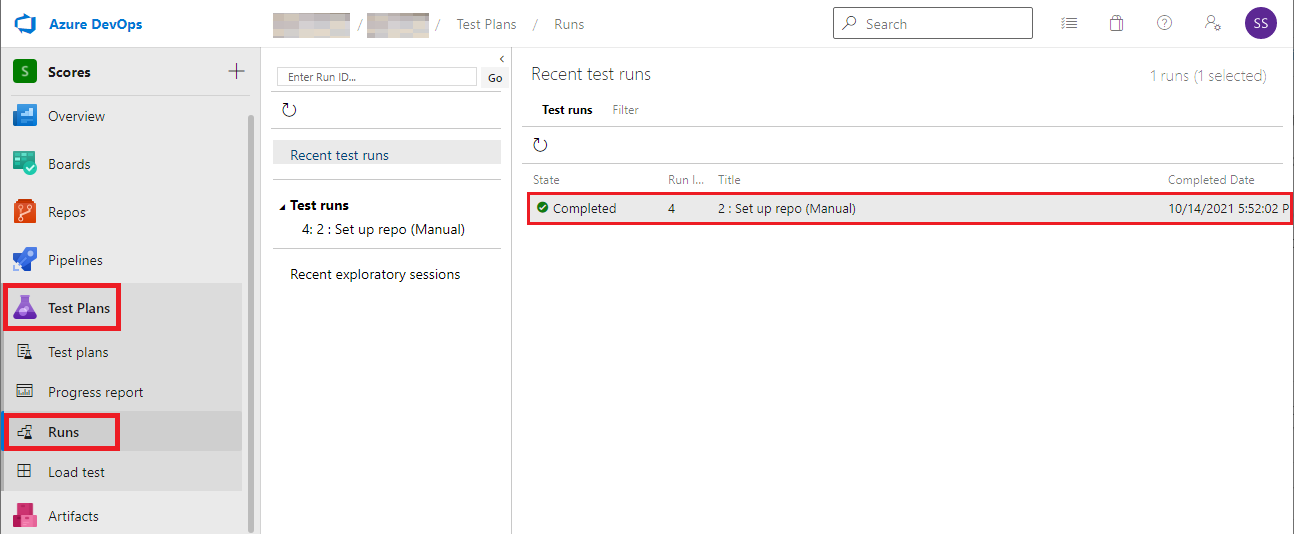
Select Test Plans, Runs. Double-click on the run result to open it.
Select the Test results tab, double-click on the test result.
You can see summary information of the test result, as well as screenshots and screen recording you captured during the test.
Comments
Post a Comment